Right-click a card photo — a Facebook auction post, an eBay listing, a store page, a forum thread — and instantly see the card name, version, foil status, live pricing from a range of online stores, and whether you already own it.
It's still in beta, so things change often and the odd rough edge is expected. Found one? Tell Dan — that's what the beta is for.
Search manually if you like, or let the AI — or a previous user's scan — identify the card for you, then have its prices looked up and shown as clickable store links.
Add Dans MTG to Chrome from the Web Store in one click, then sign yourself up with your email to get your free starting credits and link your card collection.
On any web page showing a Magic card, right-click the photo and choose Identify MTG Card from the context menu. The option is there on every site, not just Facebook.
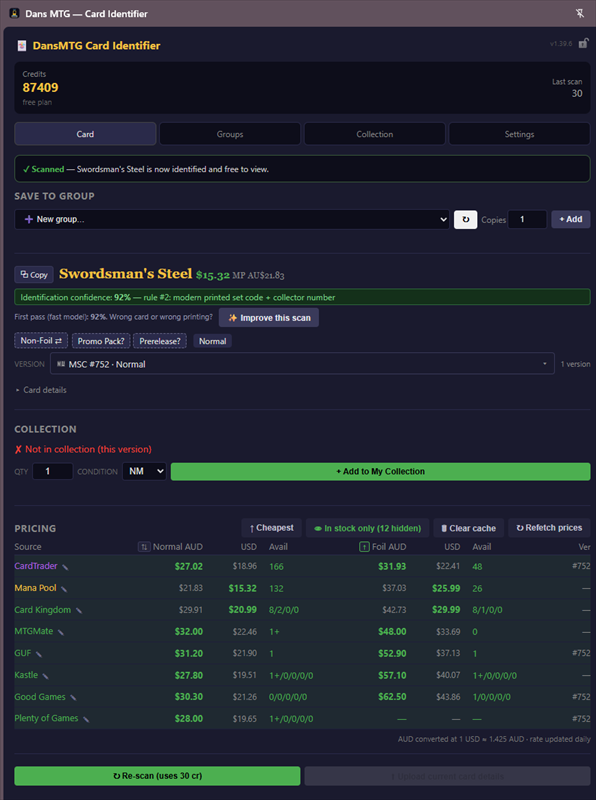
An overlay appears showing the card name, set, foil status, frame treatment, live prices from multiple stores, and how many copies you own.
The Identify MTG Card option sits in your browser's right-click menu on every website. Whatever page the card photo is on, that's where you can price it — and the answer is saved against that page's address.
Facebook auction posts, eBay and Gumtree listings, online store product pages, forum and Reddit threads, a screenshot someone posted in a chat you have open in a browser tab. No site list to maintain — if it's an image, it's fair game.
The identified card name and version are stored against the URL of the tab in focus. Price a card on an eBay listing and it stays attached to that listing — reopen it later, or send the link to someone else, and the answer is already there.
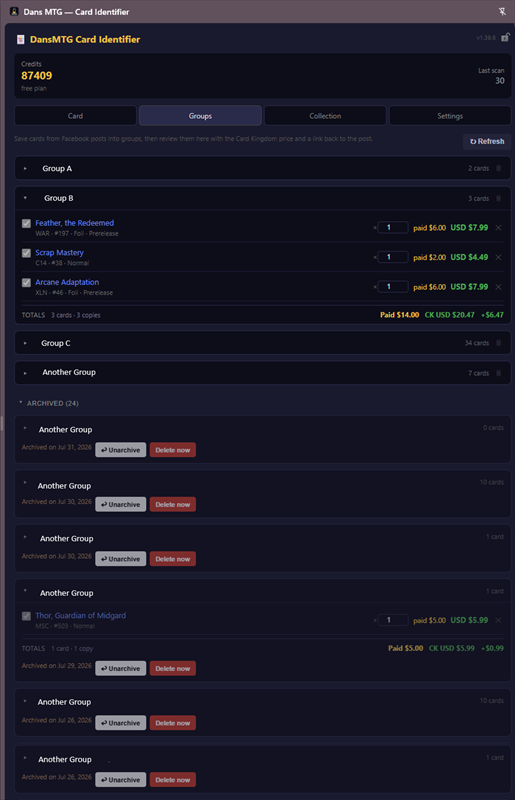
Save the cards from a listing into a group with what you paid versus what the market says. A Facebook auction post, an eBay listing and a store page are all just URLs — groups don't care which.
There's no invite, no waiting list and nothing to configure. Install it, create an account with an email and password, confirm the code, and your 150 free credits are already there.
Open the Chrome Web Store listing and click Add to Chrome, then Add extension when Chrome asks.
Pin Dans MTG from Chrome's puzzle-piece menu, then click its icon. The extension opens as a side panel beside the page you're on.
Choose the Sign Up tab, enter your email and a password of at least 8 characters with one uppercase letter and one number, then hit Create Account.
A 6-digit code arrives in your inbox within a few seconds. Type it in and click Verify Email. Check your spam folder if it doesn't show up.
Your free credits land the moment the account is confirmed — enough for about 5 brand-new scans, or 150 views of posts other people have already scanned.
A clean side panel that lives next to whatever page you're on — look up any card with live pricing, save listings into groups, browse your collection, and tune your settings.
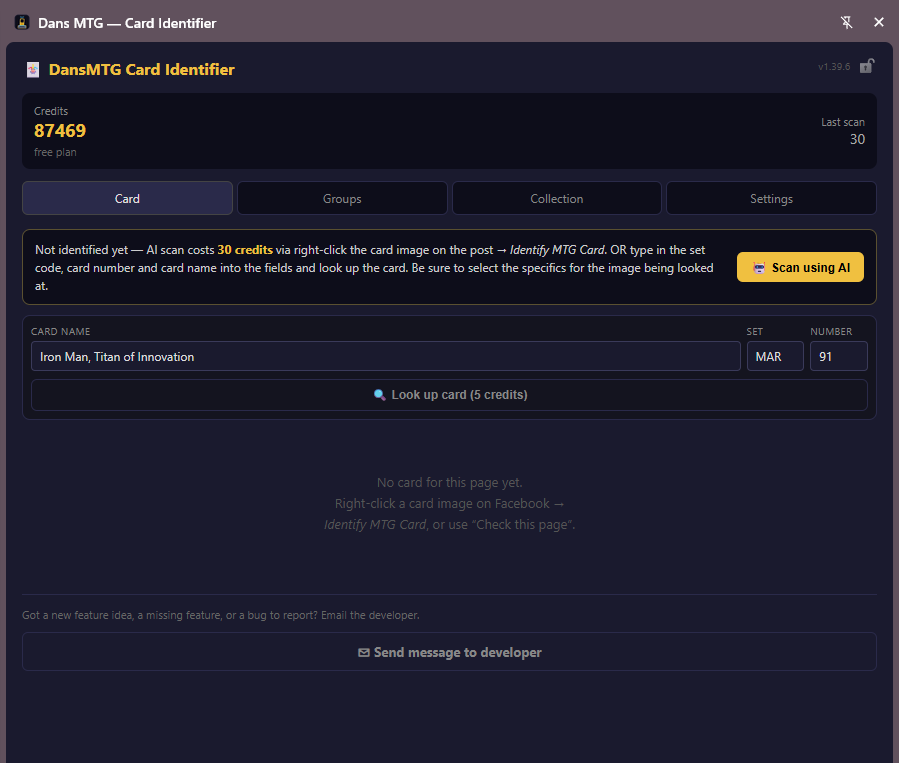
Scan with AI, or type the set code and number to look a card up yourself
Version, confidence and live prices from every store you follow
Save cards from a post into a group and review what you paid versus market
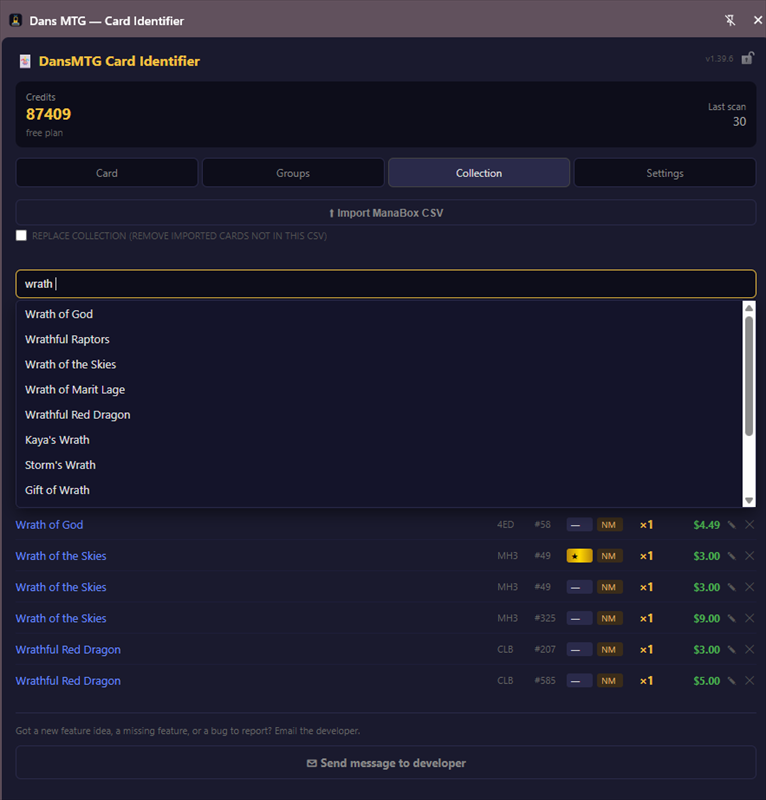
Search every card you own, with set, foil, condition and quantity
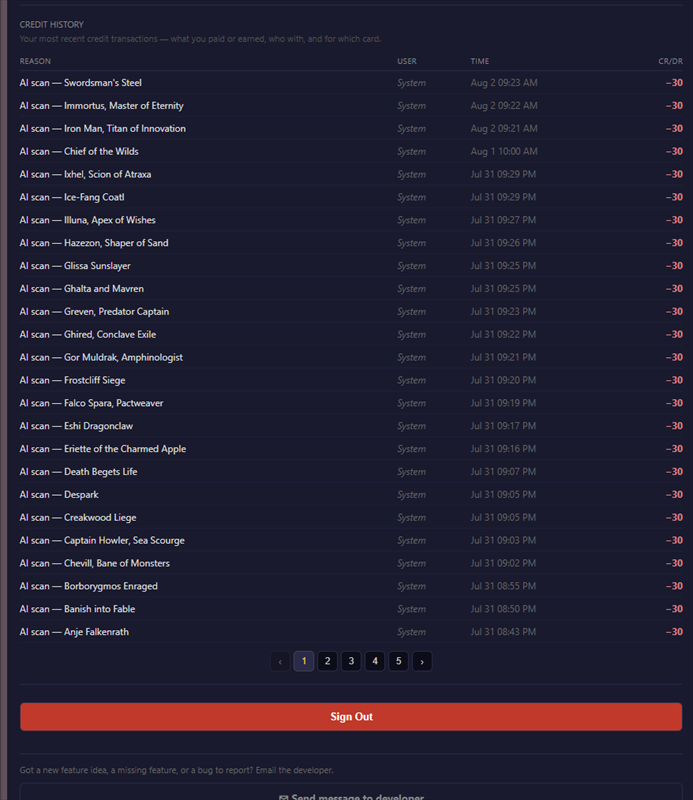
Manage your plan and price sources, and review your credit history
The right-click option isn't limited to Facebook. Any page with a Magic card photo on it — auction post, marketplace listing, store page, forum thread — can be identified and priced, and the result is saved against that page's URL. More on that above.
Powered by Claude AI running on AWS. Reads the card name, set code, collector number, foil star, and frame treatment directly from the photo — no typing required.
Checks Scryfall (USD), Good Games, MTGMate, Card Hub, Pro Gamers, and MTG Singles simultaneously so you can bid with confidence. Want a store added to the pricing list? Email the developer and it can be considered.
Import your ManaBox export or add cards manually. The overlay instantly shows how many copies you own and how many other versions you hold.
Detects foil from the star separator in the card's stamp, plus frame treatments: normal, extended art, borderless, showcase, etched, and serialised.
The first person to scan a post pays the AI cost, then gets repaid as others view it. The next few viewers chip in a little extra to pay the scanner back fast — and are themselves refunded back down to just 1 credit as the post gets more views. A popular post ends up costing everyone about the same 1-credit share.
Only the image you right-click is ever sent for analysis, along with the address of the page you right-clicked it on. Your browsing is never monitored, no images are stored, and your collection is private to you.
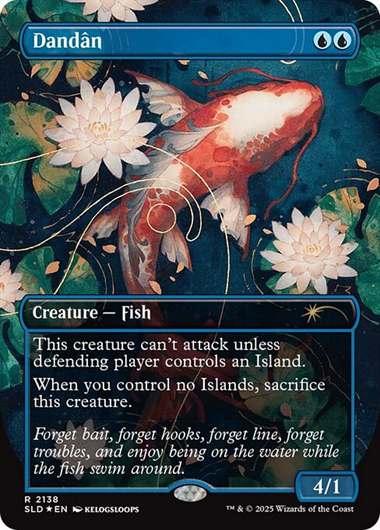
AI scanning isn't free. The first scan of a post costs 30 credits; later viewers pay the scanner back — quickly at first, then a flat 1 credit each — and the early viewers who paid extra are refunded back down to 1 too, so everyone converges on about 1 credit per post.
| Action | Credits | Notes |
|---|---|---|
| New account sign-up | +150 free | Enough for about 5 first-time scans, or 150 scans if many other people identity/scan the same card. |
| Scan a new post (first person) | −30 credits | Triggers the AI. The next few viewers pay you back fast, leaving a net cost of about 1 credit |
| Look up a card by name (type-ahead) | −5 credits | No AI needed, so far cheaper than a scan. The next 4 viewers refund you 1 credit each, leaving a net cost of about 1 credit |
| View a previously scanned post | −1 credit* | *The first few viewers of a fresh post pay more (15, then 7, then 3) to repay the scanner quickly, then are refunded back down to 1. Re-opening a post you've already viewed is free |
| Refund as others view | +credits | New viewers refund the scanner — and any early viewers who paid extra — until each is down to a net 1 credit |
| Subscribe or buy a credit pack | +credits | Monthly plans (Common · Uncommon · Rare · Mythic) or one-off top-ups |
Dans MTG is in early development — plans, prices, and credit amounts are subject to change.
It's free to install and free to start — sign yourself up in the extension and 150 credits are waiting for you. No invite, no card details, no waiting list.
Add to Chrome — FreeChrome browser required · Works on any website with a card photo · Public beta